User Guide
This comprehensive guide covers everything you need to know about using Tend to build and maintain positive habits.
Overview
Tend is designed to make habit tracking simple and effective. This guide will walk you through all the features and help you get the most out of the app.
Main Features
Habit Tracking
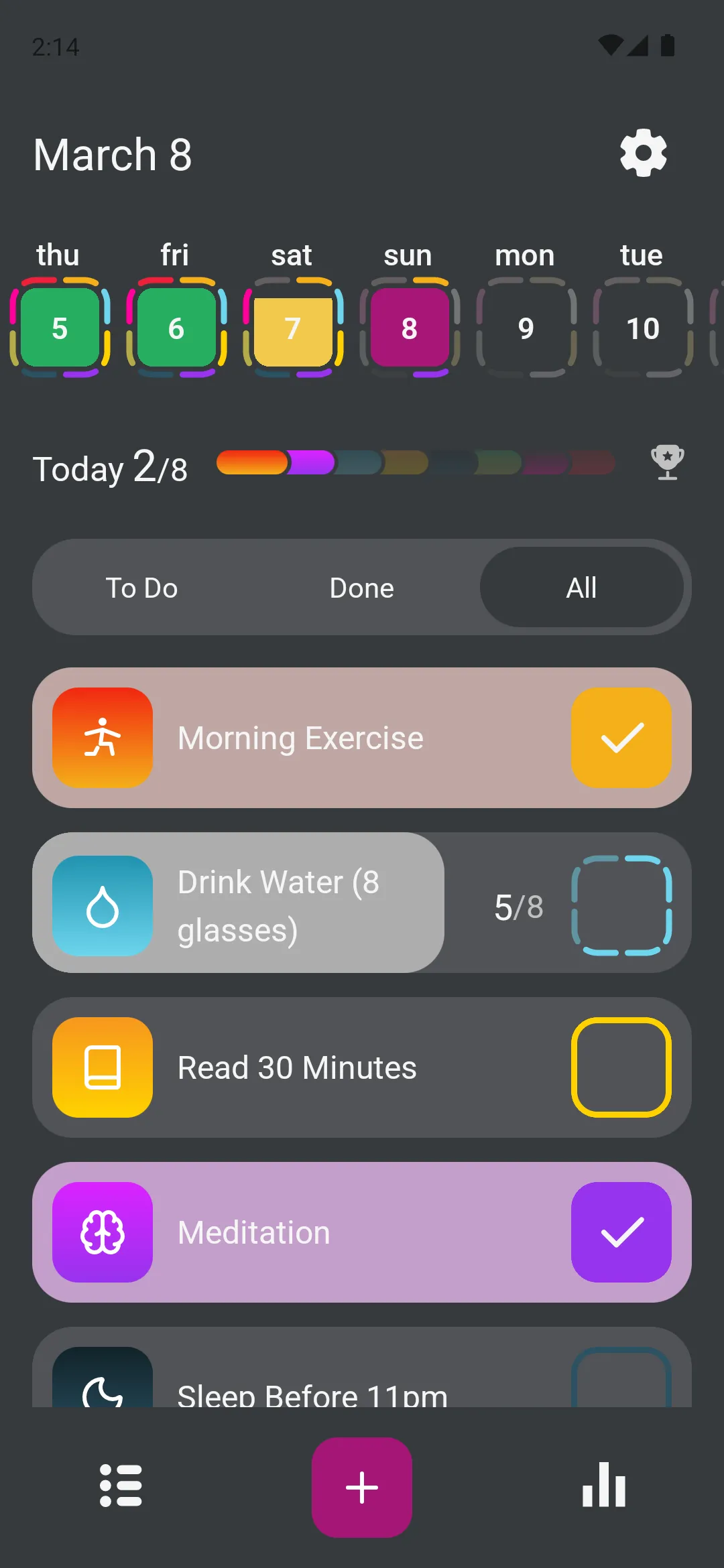
The core of Tend is tracking your daily habits. The main screen shows:
- Today’s date - Always know what day you’re tracking
- Active habits - All habits scheduled for today
- Completion status - Visual indicators showing what’s done
- Weekly calendar - See your progress at a glance
Creating Habits
Create custom habits tailored to your goals:
- Choose from various repeat schedules (daily, weekly, monthly, yearly)
- Set specific days of the week
- Configure multiple completions per day
- Add reminders to stay on track
- Customize with icons and colors
See the Creating Habits guide for detailed instructions.
Reordering Habits
Arrange your habit list in any order with drag-and-drop:
- Long-press any habit to open the options menu
- Tap Reorder Habit to enter reorder mode
- Drag habits up or down using the handle on the left
- Tap the banner at the top to save and exit
See the Reordering Habits guide for full instructions.
Statistics and Progress
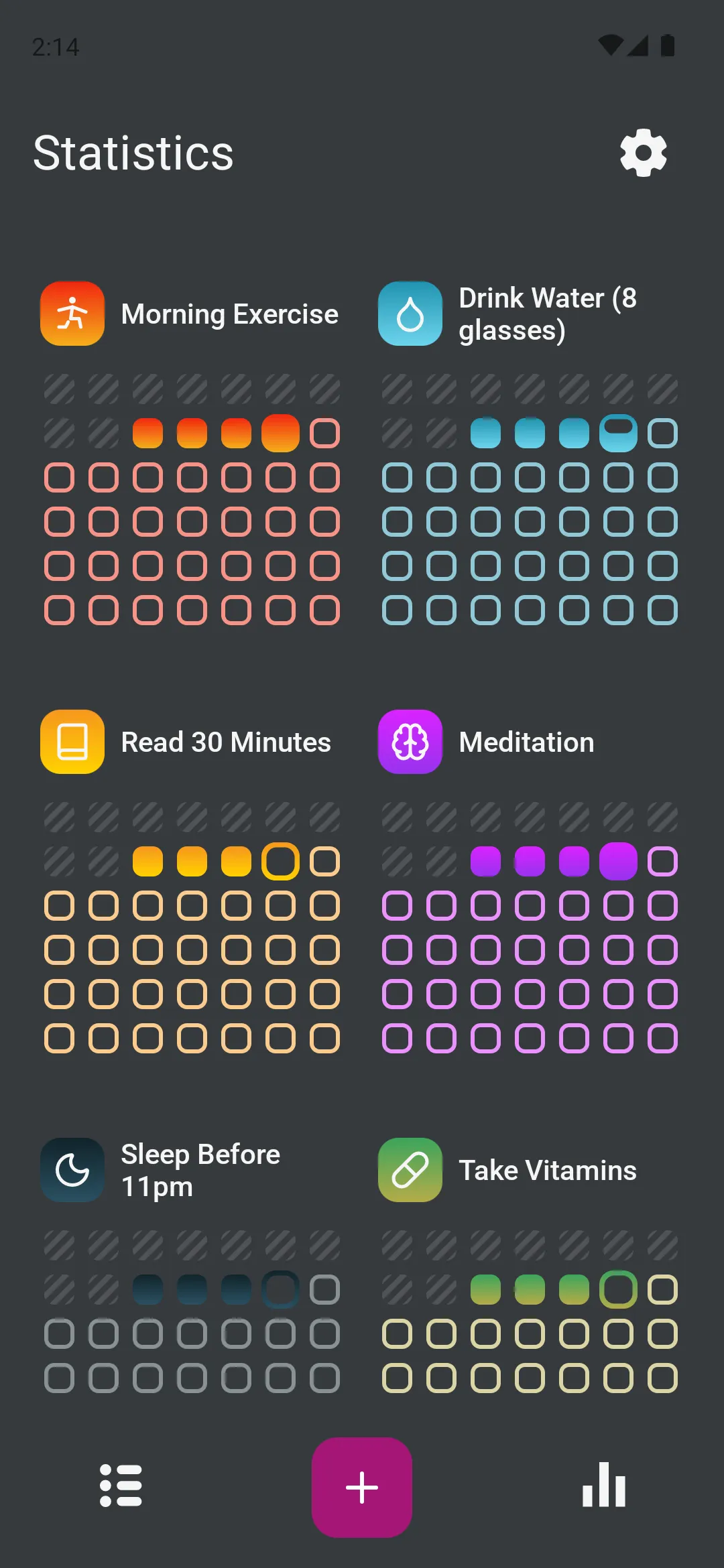
Track your progress over time:
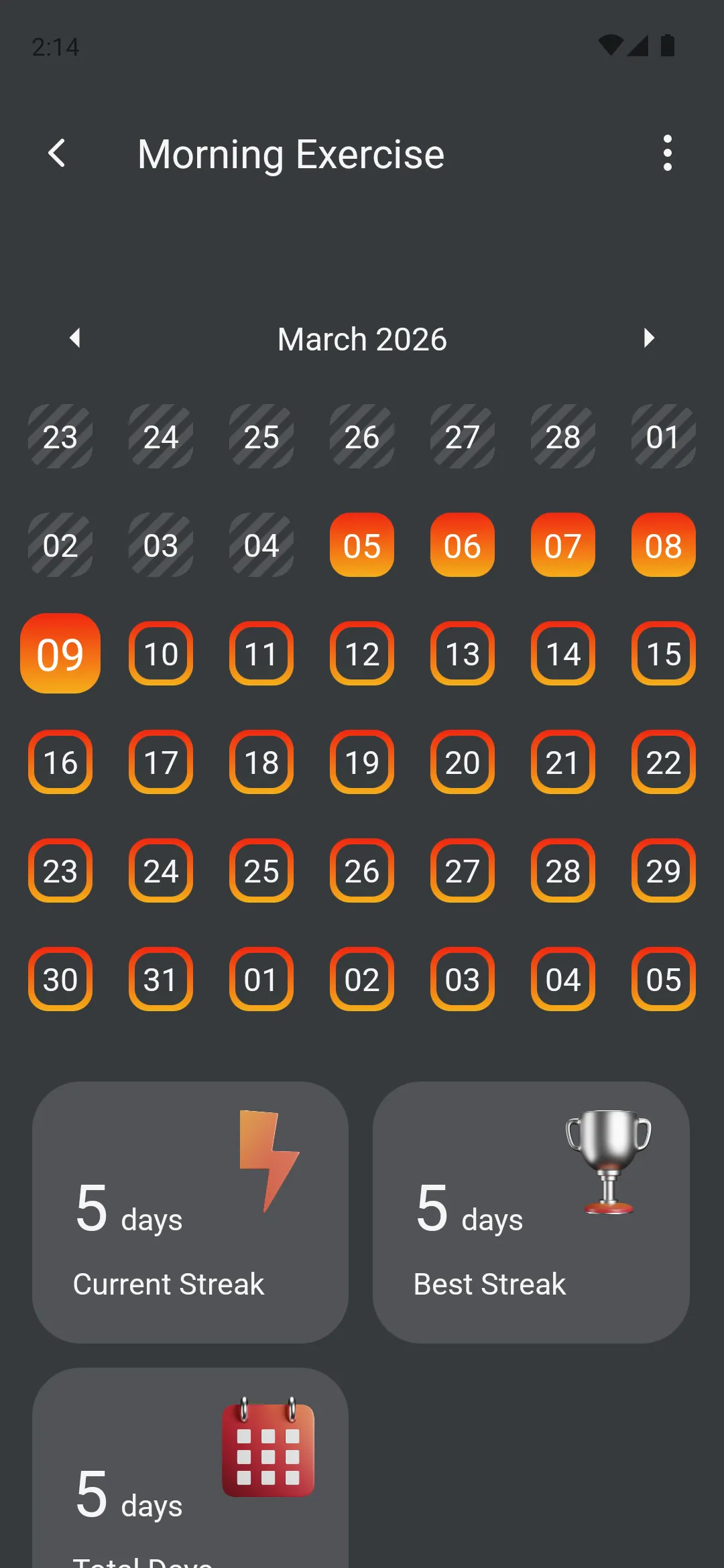
- View completion history in calendar format
- See current streaks for each habit
- Identify patterns in your behavior
- Celebrate your achievements
Data Management
Protect and manage your habit data:
- Export backups of all your data
- Import data to restore or transfer
- Archive habits you’re not currently tracking
- Clear data for fresh starts
See the Data Management guide for complete instructions.
Settings and Customization
Personalize Tend to match your preferences:
- Choose your language (English, Russian)
- Select theme (Light, Dark, or System)
- Set time format (12-hour or 24-hour)
- Configure week start day (Sunday or Monday)
See the Settings guide for all customization options.
Navigation
Main Screen
The main screen is your daily hub:
- Date selector - Tap to view different dates
- Habit list - All habits for the selected date
- Add button (+) - Create new habits
- Settings icon - Access app settings
- Bottom tabs - Navigate between screens
Bottom Navigation
Three main sections:
- Home - Daily habit tracking
- Calendar - Monthly view of all habits
- Stats - Progress and statistics
Settings Menu
Access from the gear icon:
- Language selection
- Theme preferences
- Time and date formats
- Data management (Import/Export, Archive)
- Developer tools
- About information
Working with Habits
Completing Habits
Mark habits as complete:
- Find the habit in today’s list
- Tap the circle next to the habit name
- The circle fills to show completion
- For multiple repetitions, tap multiple times
Editing Habits
Modify existing habits:
- Long-press on any habit
- Select Edit Habit
- Make your changes
- Tap Save
All changes apply immediately, and your history is preserved.
Managing Habits
Long-press on any habit to access options:
- Edit Habit - Modify settings
- Archive Habit - Remove from active list but keep history
- Delete Habit - Permanently remove (cannot be undone)
- Clear Data - Remove all completion marks
Understanding Habit Schedules
Daily Habits
Habits that repeat every day:
- Appear on the main screen daily
- Build continuous streaks
- Perfect for routines like “Drink water” or “Exercise”
Weekly Habits
Habits that repeat on specific days:
- Choose which days of the week
- Great for “Gym on Mon/Wed/Fri” or “Meal prep on Sunday”
- Only appear on selected days
Monthly Habits
Habits that repeat monthly:
- Set specific day of month (e.g., 1st, 15th)
- Useful for “Pay bills” or “Monthly review”
- Automatically adjusts for different month lengths
Yearly Habits
Habits for annual events:
- Set specific date each year
- Perfect for “Annual checkup” or “Birthday traditions”
- Appears once per year
Biweekly Habits
Habits every two weeks:
- Alternating week schedule
- Good for “Deep cleaning” or “Team meetings”
- Follows your week start preference
Tips for Success
Start Small
Begin with 2-3 habits you’re confident about. Success breeds motivation.
Be Consistent
Check the app at the same time daily. Make it part of your routine.
Use Reminders
Set notifications for times when you can actually complete the habit.
Review Regularly
Check your statistics weekly to see patterns and celebrate progress.
Don’t Give Up
Missing a day happens. Just start again tomorrow. The app keeps all your history.
Archive, Don’t Delete
If you stop a habit, archive it instead of deleting. You might want that data later.
Common Workflows
Morning Routine
- Open Tend with your morning coffee
- Review today’s habits
- Complete morning habits immediately
- Check what’s coming up later
Evening Review
- Open Tend before bed
- Complete any remaining habits
- Check tomorrow’s schedule
- Adjust reminders if needed
Weekly Planning
- Open Statistics tab
- Review last week’s completion rate
- Identify habits that need attention
- Adjust schedules or reminders
- Archive completed goals
Monthly Backup
- Open Settings
- Tap Import/Export
- Export your data
- Save to cloud storage
- Verify export succeeded
Troubleshooting
Habit Not Appearing
Check if:
- The habit is scheduled for today
- The habit isn’t archived
- You’re viewing the correct date
- The habit’s start date hasn’t arrived yet
Can’t Complete Habit
Verify:
- You’re on the correct date
- The habit is active (not archived)
- You haven’t already completed all repetitions
- The app has proper permissions
Notifications Not Working
Ensure:
- Notifications are enabled in device settings
- Tend has notification permission
- Notification times are set for the habit
- Your device isn’t in Do Not Disturb mode
Data Not Exporting
Try:
- Granting storage permission
- Checking available storage space
- Restarting the app
- Choosing a different save location
Next Steps
Now that you understand the basics, explore these guides:
- Creating Habits - Master habit creation
- Data Management - Protect your progress
- Settings - Customize your experience
Happy habit tracking! Remember, building habits is a journey, not a destination. Tend is here to support you every step of the way.