Quick Start Guide
Welcome to Tend! This guide will help you create your first habit and start tracking in just a few minutes.
What You’ll Learn
In this quick start, you’ll:
- Open the app and explore the main screen
- Create your first habit
- Complete the habit for today
- View your statistics
Let’s get started!
Step 1: Open Tend
- Launch the Tend app on your device
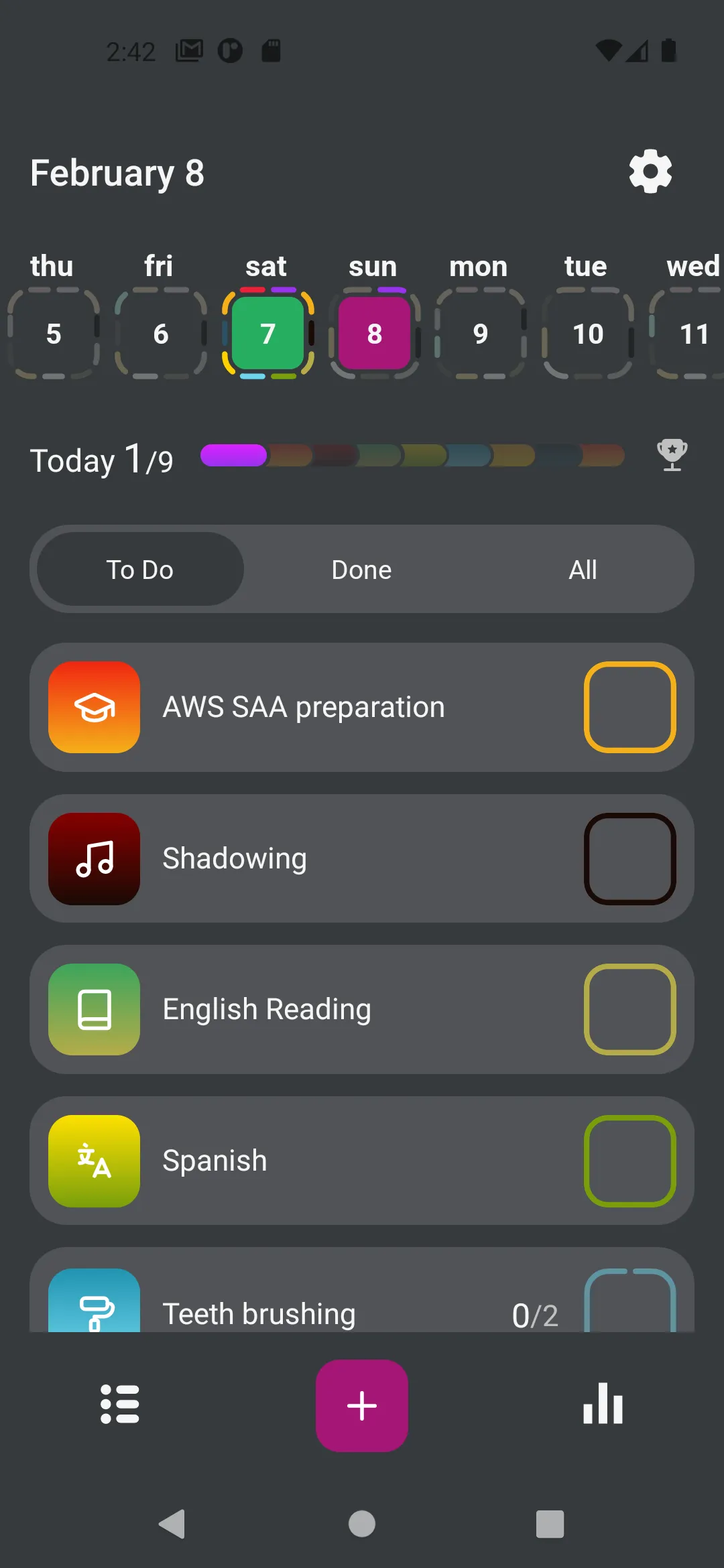
- You’ll see the main screen with today’s date
- If this is your first time, the habit list will be empty
Step 2: Create Your First Habit
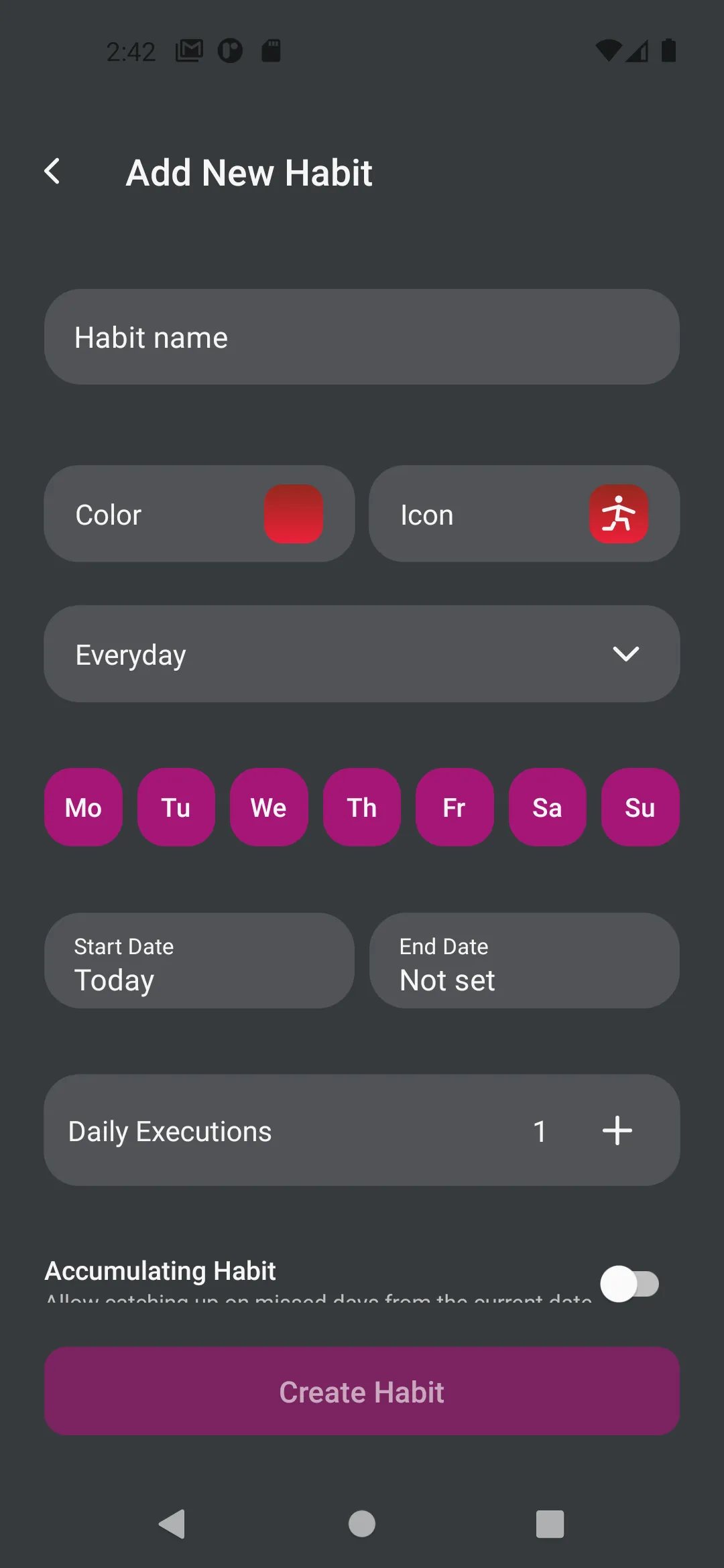
- Tap the + button at the bottom of the screen
- Enter a name for your habit (e.g., “Drink Water”, “Morning Exercise”, “Read 10 Pages”)
- Choose an icon that represents your habit
- Select a color to make it easy to identify
- Set when the habit repeats (Daily is a good start)
- Optionally, set a reminder time
- Tap Save to create the habit
- Your new habit appears on today’s list!
Step 3: Complete Your Habit
Now that you’ve created a habit, let’s mark it as complete:
- Find your habit in today’s list
- Tap the circle next to the habit name
- The circle fills in, showing you’ve completed it!
- You’ll see a visual confirmation
Step 4: View Your Progress
Let’s check your statistics:
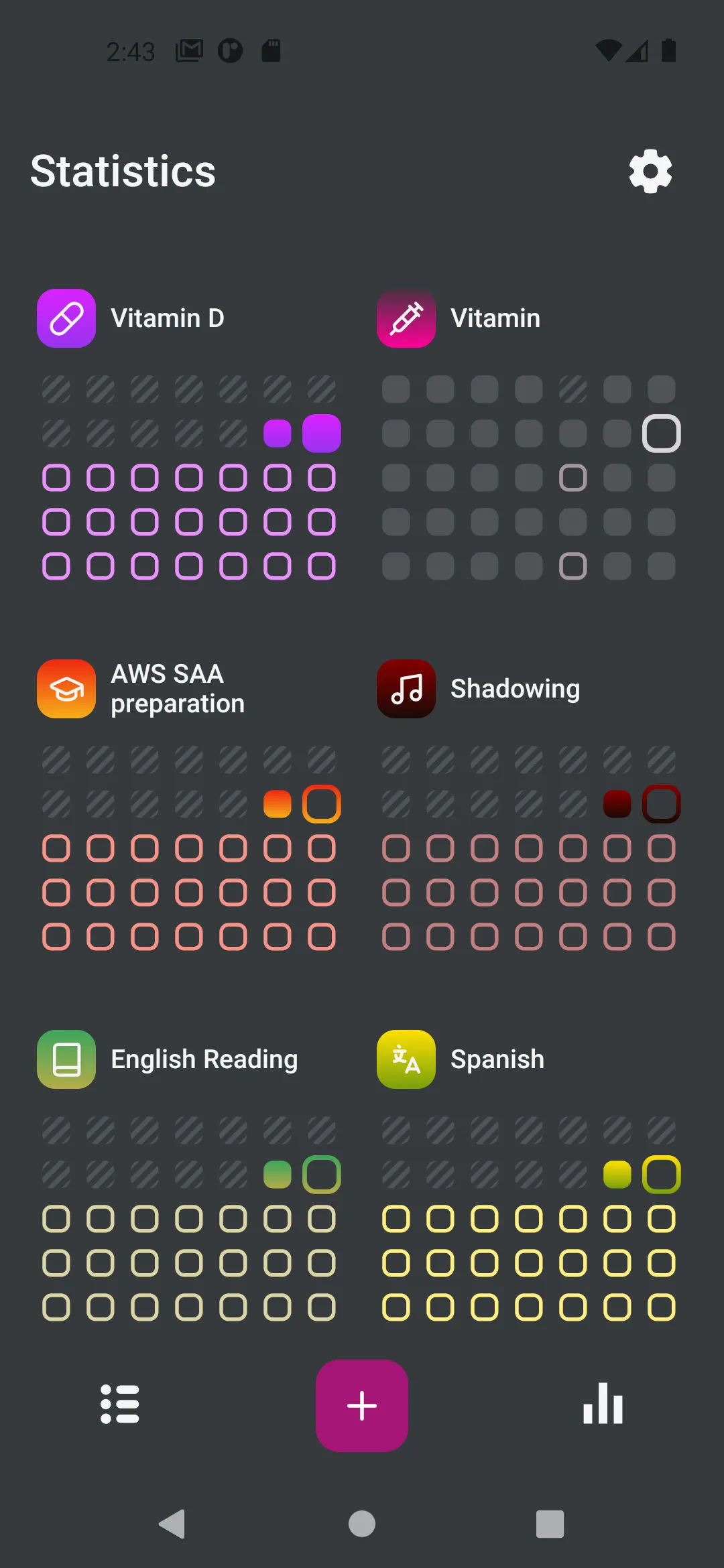
- Tap the Stats tab at the bottom
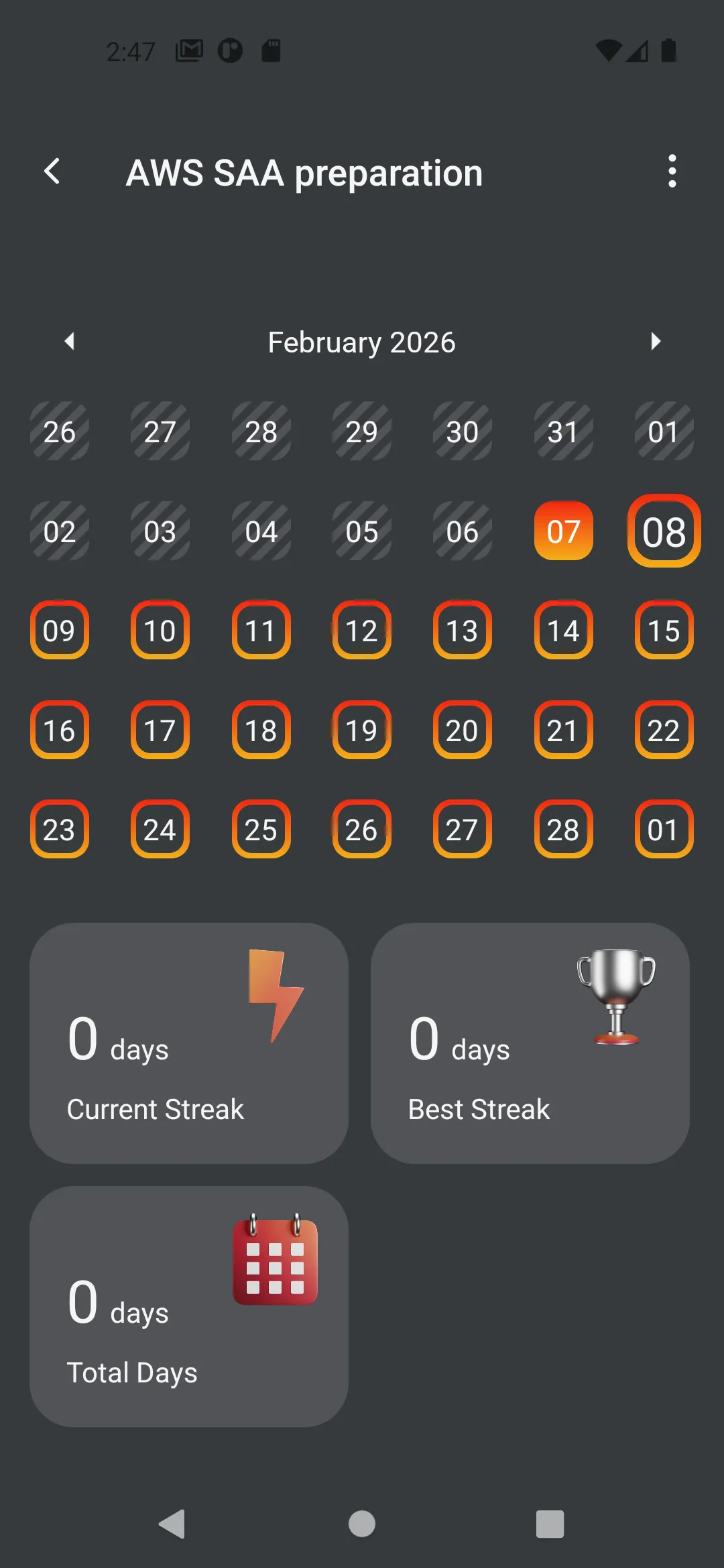
- You’ll see a calendar view
- Today’s date shows your completed habit
- As you continue tracking, you’ll see streaks form
What’s Next?
Now that you’ve created and completed your first habit, here are some things to explore:
Create More Habits
- Add 2-3 habits to start (don’t overwhelm yourself!)
- Choose habits that fit naturally into your routine
- Start small and build up
Customize Your Habits
- Set different repeat schedules (weekly, monthly, etc.)
- Add multiple reminders for habits you tend to forget
- Use colors and icons to organize by category
Track Consistently
- Check in daily to mark your progress
- Build streaks to stay motivated
- Review your statistics weekly
Explore Features
- Learn about Creating Habits in detail
- Set up Data Backups to protect your progress
- Customize Settings to match your preferences
Tips for Success
Start Small
Begin with 1-3 habits you’re confident you can maintain. It’s better to succeed with a few habits than to fail with many.
Be Consistent
Try to check the app at the same time each day. Morning or evening works well for most people.
Don’t Break the Chain
Once you start a streak, seeing those consecutive days can be incredibly motivating. Try not to break it!
Review Weekly
Every week, look at your statistics. Celebrate your wins and adjust habits that aren’t working.
Use Reminders Wisely
Set notifications for times when you can actually do the habit. A reminder at 6 AM won’t help if you’re not awake!
Common Questions
Q: Can I edit a habit after creating it?
A: Yes! Long-press on any habit and select “Edit Habit” to change any settings.
Q: What if I forget to mark a habit?
A: You can go back to previous dates using the calendar and mark habits retroactively.
Q: How do I delete a habit?
A: Long-press on the habit and select “Delete Habit”. Or archive it if you want to keep the history.
Q: Can I track habits multiple times per day?
A: Yes! When creating a habit, set “Repetitions” to more than 1.
Q: What happens if I miss a day?
A: Your streak will reset, but all your previous progress remains. Just start again!
Need More Help?
- Read the complete User Guide
- Learn about Advanced Habit Features
- Explore Settings and Customization
Congratulations! You’ve created your first habit and started your journey to building better routines. Keep it up!